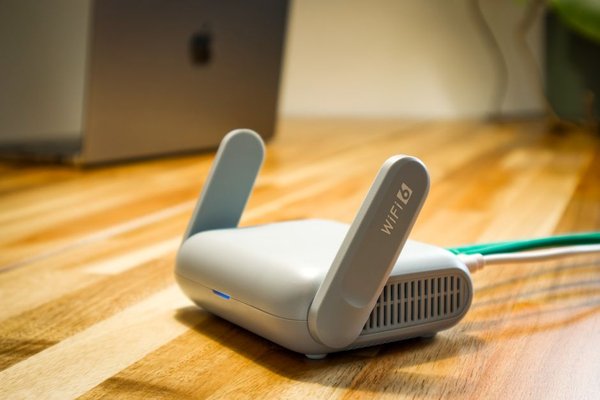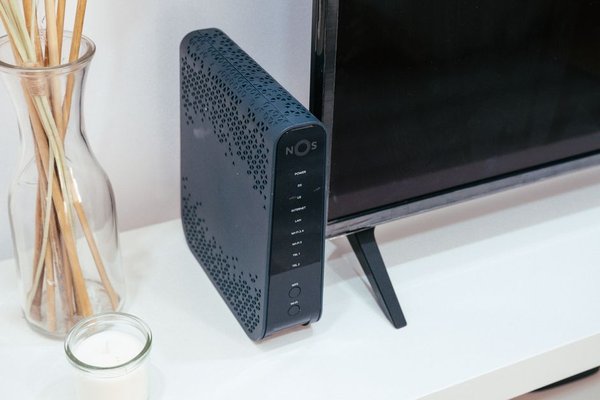
A back bedroom can feel miles from the router when video calls freeze, even though broadband works perfectly downstairs. A Wi-Fi extender might help, but it still needs a usable wireless signal. Powerline adapters offer another route: they carry network data over electrical wiring already inside your home, avoiding a long Ethernet cable through the hallway.
They are not guaranteed to outperform Wi-Fi. Understanding how powerline networking behaves makes it easier to decide whether a pair of adapters is worth trying.
How Ethernet over mains works
A basic kit contains two adapters. One connects by Ethernet cable to a LAN port on your broadband router and plugs into a mains socket. The second plugs into another room, where it provides an Ethernet connection for a computer, television or games console. Both adapters exchange network signals through the wiring.
They add high-frequency data signals to the electrical circuit while mains electricity continues to power appliances. They do not create a separate internet service: the first adapter still needs a working router connection. Models with built-in Wi-Fi can also create a wireless access point in the distant room, whereas Ethernet-only models cannot.
The electrical path between sockets matters more than their straight-line distance. Circuit arrangements and electrical noise can weaken a link or prevent certain adapters from connecting. A successful test in one room does not prove every socket will work.
A practical example: the upstairs office
Imagine a UK terraced house with the router in the front living room and an office upstairs at the back. The laptop gets unreliable Wi-Fi through two walls and a floor. Instead of buying an extender immediately, you could test a powerline kit between the living room and an upstairs socket, then connect the laptop by Ethernet.
Run a video call and speed test at the desk at different times. Compare the experience with a direct connection to the router downstairs. If the powerline link remains steady despite a lower headline speed, it might solve the real problem: dropped calls. If it slows whenever appliances run, try another socket first.
Powerline adapter setup, step by step
First, plug both adapters directly into nearby wall sockets. Connect one to a router LAN port with an Ethernet cable. Many kits connect automatically; others require the Pair or Security buttons in the sequence specified by the manufacturer. Check the indicator lights to confirm they have established a link.
Move the second adapter to the intended room, plug it directly into a wall socket, and connect your device. If the kit provides Wi-Fi, configure its wireless name and password according to the manual. Pairing the powerline connection does not necessarily configure the remote Wi-Fi for you.
Enable the kit’s pairing and encryption features rather than assuming every default is secure. Check compatibility before adding existing adapters: HomePlug AV and G.hn are different standards and generally cannot join the same powerline network. Start with one reliable connection before expanding to several rooms.
Why advertised speeds are not real-world speeds
Powerline packaging may advertise rates such as 1,000 Mbps or 2,400 Mbps. These represent theoretical signalling rates in favourable conditions, not the download speed guaranteed at your computer. Protocol overhead, shared traffic, wiring quality and electrical interference reduce useful throughput.
Check the Ethernet port specification too: a model with a 100 Mbps port will limit data passing through that port, regardless of a faster powerline rating. Your broadband plan separately limits internet speeds, while transfers between devices depend on the local network.
Powerline may be perfectly adequate for browsing and streaming yet inconsistent for large file backups or competitive gaming. Latency and its variation matter alongside bandwidth. Test what you actually do rather than relying on one speed-test result.
Common problems and simple fixes
Extension leads and filtered sockets
Plug adapters into wall sockets, not extension leads, surge-protected strips or uninterruptible power supplies. Filtering can significantly weaken the signal. If sockets are scarce, a model with a pass-through mains socket can power another device without placing the adapter behind an extension lead.
Interference from household equipment
Chargers, some dimmers and motor-driven appliances can introduce electrical noise. A link that struggles when the washing machine starts may be suffering interference rather than a broadband fault. Try a different socket and, where safe, disconnect nearby suspect devices one at a time. Never modify fixed electrical wiring for a network experiment.
Powerline versus Wi-Fi extenders and mesh
A traditional extender receives and retransmits Wi-Fi. If its own connection to the router is weak, the resulting coverage can disappoint. Powerline travels through mains wiring instead, potentially helping where thick walls or an awkward floor plan obstruct wireless signals.
Mesh Wi-Fi can be better for broader coverage when its nodes communicate well, particularly with wired backhaul. Properly installed Ethernet remains the most predictable option for stability and throughput. Powerline occupies a useful middle ground: less installation effort than new cabling, but more dependence on your electrical environment.
If the entire property has poor coverage, begin with router placement and a guide to fixing Wi-Fi dead zones. If only one desktop or television needs a better connection, powerline may be the more focused option.
What to check before buying
Choose a UK-plug kit with at least two adapters, sufficient Ethernet ports and pass-through sockets if outlet space is tight. Decide whether the distant room needs Wi-Fi or just a wired connection. Confirm compatibility before mixing standards, brands or generations.
A sensible returns policy matters because specifications cannot predict your home’s wiring. Guides to choosing a home router and setting up a wired home network are also useful when planning equipment around your existing connections.
Frequently asked questions
Do powerline adapters work in older UK houses?
They can, but old wiring alone does not determine success. Circuit layout, electrical noise and socket position all matter. Testing the intended rooms is the best way to find out.
Must both adapters be on the same ring main?
Not always. Some products communicate across circuits or protective devices, but performance may weaken or connections fail. Check your model’s requirements rather than assuming cross-circuit operation.
Do powerline adapters replace the router?
No. They extend an existing home network. One normally connects to the router, while the remote unit supplies Ethernet or, on suitable models, Wi-Fi.
Can neighbours access a powerline network?
Pairing and encryption help restrict access. Enable security features, follow the manufacturer’s instructions and keep firmware updated where supported. Do not rely on electrical boundaries alone for security.
Is powerline worth trying?
Think of powerline adapters as a practical experiment, not a guaranteed cure for every Wi-Fi black spot. Start with two suitable units, use direct wall sockets and measure performance where you actually work or watch television. When the electrical path cooperates, Ethernet over mains can make a frustrating room usable without drilling holes or trailing cables through the house.