Choosing where to keep family photos, important documents and a growing video collection sounds simple until storage starts running out. Should you buy a box that sits beside your router, or pay a provider to hold your files online? The NAS vs cloud storage decision is about how you want to access, protect and manage your digital life.
For most UK households, cloud storage is the easier starting point. Network attached storage (NAS) becomes attractive when several people share large files, local performance matters, or subscriptions are mounting. Neither option automatically provides a complete backup.
The difference that matters at home
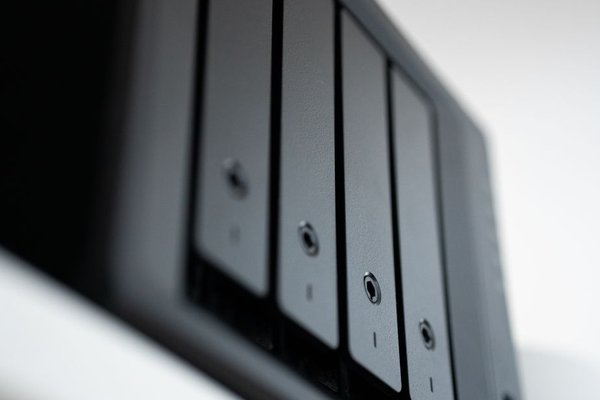
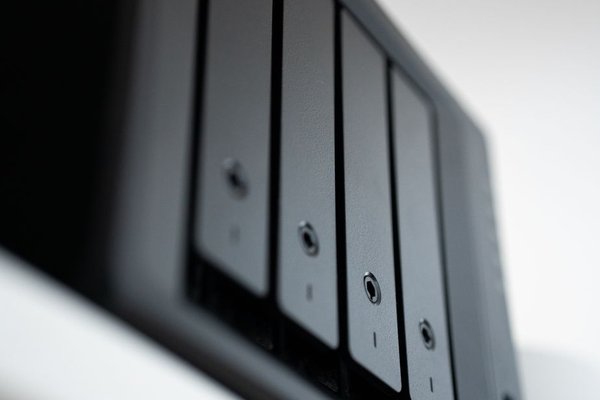
A NAS is a small computer with one or more storage drives, connected to your home network. Laptops, phones and televisions can access its shared folders, subject to permissions. You buy the hardware, configure it and remain responsible for keeping it healthy.
Cloud storage places files on a provider’s infrastructure, accessed through apps or a browser. Services such as OneDrive, Google Drive and iCloud can synchronise selected files between devices. You pay for capacity or use a limited free allowance, while the provider maintains the underlying servers.
Upfront price versus ongoing costs
A NAS typically requires an enclosure and compatible drives, followed by occasional replacement drives and electricity. Some households also buy an external backup drive. A two-bay unit does not necessarily provide twice the usable capacity: mirroring two drives normally leaves the capacity of one for files.
Cloud storage generally has little hardware expense beyond devices you already own, but larger allowances involve recurring payments. Compare annual subscriptions with the NAS purchase price over three to five years, allowing for hardware failure and backups. Prices and plan limits change, so use current UK offers rather than a fixed break-even claim.
Consider a family storing 300 GB of photos and documents. A shared cloud plan may be cheaper and simpler than buying a NAS. A household archiving several terabytes of home video could find local storage more economical over time, especially if its cloud upload speed is modest. The NAS still needs an off-site copy of irreplaceable files.
Speed depends on where you are
At home, a wired NAS can transfer large files at local network speeds without uploading them first. That makes it useful for editing video, moving photo libraries and streaming media to compatible devices. Performance depends on drives, network equipment, Wi-Fi quality and the NAS itself.
Cloud files are convenient across locations, but first uploads and uncached downloads depend on your internet connection. On some UK broadband packages, upload speed is much lower than download speed. Sending a large archive to the cloud could take considerably longer than copying it to a NAS.
Remote access reverses the equation. Cloud apps usually make files available at work or on holiday with minimal setup. A NAS can offer remote access too, but it relies on home internet, the device remaining powered on and a securely configured connection. Avoid exposing an unmaintained NAS directly to the internet.
Privacy, security and control
Keeping files on a NAS gives you direct control over physical drives and access permissions. It does not make files automatically secure. Weak passwords, outdated firmware, unnecessary remote services and ransomware on a connected computer can still put data at risk.
Cloud providers maintain infrastructure, but you entrust them with account management and service policies. Standard encryption in transit and at rest is not the same as end-to-end encryption, where the provider cannot normally read file contents. Check the particular service’s settings before storing sensitive material.
For either option, enable two-step verification where supported, use unique passwords and keep devices updated. For sensitive records, consider client-side encryption and retain the recovery key securely. Losing that key may mean losing your own access.
The backup question most comparisons miss
Storage and backup are not interchangeable. Synchronisation may copy an accidental deletion to every connected device. Likewise, RAID mirroring in a NAS helps with some drive failures, but it cannot protect against theft, fire, malware or accidentally deleting a folder.
A sensible NAS backup plan includes a separate destination, such as an external drive disconnected after backup or an off-site cloud service. Check that backups retain earlier versions and practise restoring a file. The UK National Cyber Security Centre recommends separate copies and checking recovery rather than assuming a sync folder is sufficient.
A useful approach is the 3-2-1 principle: keep three copies of important data, across two storage devices or media, with one copy away from home. For family photos, that could mean originals on a computer, a NAS backup and a protected cloud backup. Alternatively, use cloud storage as the working copy and keep independent backups on other media.
Maintenance and everyday convenience
Cloud storage usually wins on simplicity. Automatic photo uploads, sharing links, mobile apps and document collaboration are built into many services. You still need to manage account recovery, storage limits and which folders actually sync.
A NAS offers flexibility: household-specific folders, local media libraries and scheduled device backups. In exchange, somebody must handle firmware updates, drive health alerts, user permissions and eventual replacement. A NAS that nobody monitors can become an expensive single point of failure.
Before buying hardware, review your home network setup, how to back up family photos and cloud storage security settings. These practical details influence the result more than comparing headline capacity alone.
Which should you choose?
Choose cloud storage if you primarily need phone photo backup, easy sharing and access from different locations, and you do not want to maintain hardware. Choose a NAS if you handle substantial media collections, regularly transfer large files at home, or want greater control over shared storage and are comfortable managing it.
A hybrid approach often works best: keep bulky, frequently used files on a NAS and protect essential folders with an independent off-site cloud backup. It combines speedy local access with resilience against a problem affecting your home.
Frequently asked questions
Is NAS cheaper than cloud storage?
It can be for large collections over several years, but there is no universal winner. Include the enclosure, drives, electricity, replacements and backup costs when comparing a NAS with recurring cloud fees.
Can I access a NAS away from home?
Yes, if the model supports remote access and you configure it securely. Access depends on your home power and internet connection; managed cloud services generally require less setup.
Does a NAS replace cloud backup?
No. A NAS can store backups, but an additional independent copy, ideally off-site, protects against problems that affect the whole home or device. RAID alone is not a backup.
Is cloud storage safe for family photographs?
Reputable services can be suitable when accounts are protected and recovery options are understood. Enable two-step verification, review sharing permissions and maintain another recoverable copy of irreplaceable pictures.
The practical verdict
For a household that values convenience, cloud storage is usually the first choice. For a home full of large media files and people happy to administer a device, NAS can offer better local performance and control. The best decision is not simply where your files live, but whether you can recover them when something goes wrong.