Buying a laptop is not about choosing the model with the longest specification list. It is about matching the hardware to how you work, study, create or relax. A cheaper laptop can be the better purchase if its processor, memory, storage, screen and battery fit your needs. The easiest way to use this laptop buying guide for UK shoppers is to decide what matters before comparing brands and discounts.
Start with your real workload
Write down the three tasks you expect to do most often. Browsing, email, streaming and office documents need far less power than video editing, software development, 3D work or modern gaming. This is the foundation of how to choose a laptop without overspending.
A university student using browser-based research, Microsoft 365 and video calls may be comfortable with a lightweight 13- or 14-inch laptop, 16GB of RAM and a 512GB SSD. An architecture or media student may need a faster processor, more memory and dedicated graphics, even if the laptop is heavier.
Choose the processor by workload
The processor affects responsiveness, multitasking and how quickly demanding tasks finish. Current ranges from Intel, AMD and Apple include efficient everyday chips and higher-performance options. Intel now uses Core and Core Ultra naming across current families, so compare the exact processor model rather than assuming similarly named chips perform the same.
For general use, a current mainstream processor is usually enough. Higher-performance chips make more sense for compiling code, editing high-resolution video or running demanding professional software. A laptop processor guide is useful when generation and power-class labels become confusing.
RAM: aim for comfortable headroom
Windows 11 can run on much less memory than most buyers should choose for comfortable everyday use. For a new general-purpose laptop, 8GB can handle light browsing and basic office work, while 16GB gives more room for tabs, calls, documents and background apps. Creative workloads, virtual machines and large datasets may justify 32GB or more.
Check whether RAM can be upgraded. Many thin laptops use soldered memory, so the amount you buy cannot be increased later. A how much RAM do you need guide can help when choosing between configurations.
Choose enough SSD storage
An SSD should be standard because it provides fast startup, application loading and file access. A 256GB drive may suit a light user who stores most files in the cloud, but 512GB is a more practical starting point for many people. Gamers, photographers and video editors may benefit from 1TB or more.
Leave space for operating-system updates, applications and future files. Check whether the SSD is replaceable if you expect your storage needs to grow.
Look beyond screen size
A 13- to 14-inch laptop is easier to carry, while 15- to 16-inch models provide more workspace. Full HD-class resolution is adequate for many everyday laptops, while sharper panels can improve text and detailed creative work. Brightness, colour quality, refresh rate and panel type can matter just as much as resolution.
Gamers may value a higher refresh rate, while photographers and designers should pay closer attention to colour accuracy. If you work near bright windows, screen brightness can be more useful than extra pixels.
Treat battery figures as estimates
Manufacturer battery claims are useful for comparison, but real runtime changes with screen brightness, processor load, wireless use, video calls and background activity. Thin productivity laptops often prioritise efficiency, while gaming laptops usually trade battery endurance for performance. If you work away from sockets, consider charger size and USB-C charging support too.
Check ports and everyday laptop features
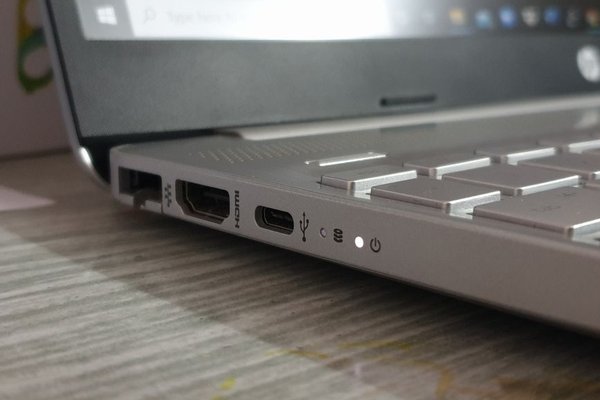
A useful laptop specs guide should cover the details you use every day. Check USB ports, display outputs and memory-card readers against your accessories. USB-C is common, but not every USB-C port supports the same charging, display or data functions, so read the specification carefully.
Keyboard layout, trackpad size, webcam quality and microphone performance also deserve attention. These laptop features can matter more in daily use than a small processor advantage.
Think about build quality and repairability
Two laptops with similar specifications can age very differently. Hinge strength, chassis flex, keyboard durability and cooling design influence long-term usability. Check whether the battery, SSD or memory is replaceable and whether service options are realistic in the UK. A slightly more expensive laptop that is easier to maintain can offer better value.
Set a realistic laptop budget in the UK
Use a budget range rather than one rigid price and decide which features are non-negotiable. Entry-level laptops can handle basic tasks, but compromises may appear in the screen, storage, memory or build. Mid-range models often give students, home users and office workers the best balance. Premium pricing makes more sense when you need stronger graphics, a better display, lighter construction or specialist performance.
When a sale appears, compare the exact model number rather than the percentage discount. Older configurations are often sold beside newer ones, so a large reduction does not automatically mean good value.
Use a final comparison checklist
Once you have two or three candidates, compare them in the same order: workload, processor, RAM, SSD capacity, screen, battery, ports, weight, keyboard and repair options. Remove any model that fails a non-negotiable requirement. This makes it easier to judge whether spending another £100 buys something you will actually notice.
Frequently asked questions
How much RAM should I get in a new laptop?
For light use, 8GB can work, but 16GB is a more comfortable choice for most new general-purpose laptops. Consider 32GB or more for demanding creative, engineering or virtual-machine workloads.
Is 512GB enough laptop storage?
For many students, home users and office workers, 512GB offers a sensible balance. Large game libraries, RAW photos or video projects can make 1TB or more more practical.
Should I buy a 14-inch or 16-inch laptop?
Choose 14 inches if portability matters most. A 16-inch screen is better when you value workspace or larger visuals and do not mind carrying extra weight.
What laptop specification matters most?
There is no single answer. For everyday use, a capable current processor, enough RAM, an SSD and a good display usually matter more than spending heavily on one headline component while compromising everything else.
Choose for the next few years
The right laptop leaves sensible headroom without making you pay for power you will never use. Define your workload, choose enough memory and storage, check the screen and everyday usability, then compare total value rather than brand alone. A balanced laptop should suit you now and remain useful as your software, files and working habits grow.